


Table of contents [Show]
What is a Global Event Bus?
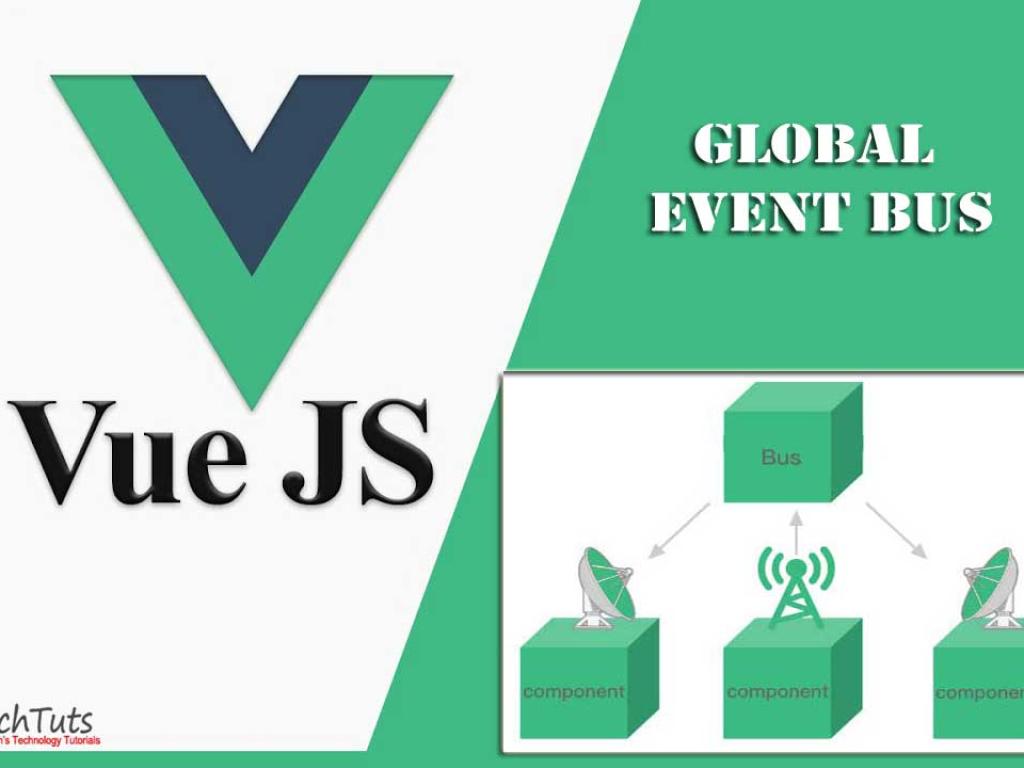
A Global Event Bus is essentially a Vue instance used solely for communication between components. Instead of props drilling, you can emit events and listen for them globally.
Creating a Global Event Bus
// eventBus.js
import { reactive } from 'vue'

const listeners = reactive(new Map())

export const EventBus = {
  on(event, callback) {
    if (!listeners.has(event)) listeners.set(event, [])
    listeners.get(event).push(callback)
  },
  emit(event, payload) {
    if (listeners.has(event)) {
      listeners.get(event).forEach(cb => cb(payload))
    }
  },
  off(event, callback) {
    if (listeners.has(event)) {
      const index = listeners.get(event).indexOf(callback)
      if (index > -1) listeners.get(event).splice(index, 1)
    }
  }
}
Using the Global Event Bus
<!-- Sender.vue -->
<script setup>
import { EventBus } from './eventBus'

function sendMessage() {
  EventBus.emit('message', 'Hello from Sender!')
}
</script>

<template>
  <button @click="sendMessage">Send Message</button>
</template>
<!-- Receiver.vue -->
<script setup>
import { onMounted } from 'vue'
import { EventBus } from './eventBus'

onMounted(() => {
  EventBus.on('message', msg => {
    alert(`Received: ${msg}`)
  })
})
</script>

<template>
  <p>Waiting for messages...</p>
</template>
This is simple and works well for small applications. But as your app grows, it becomes harder to track what’s being emitted and who’s listening. This is where Vuex comes in.
What is Vuex?
Vuex is Vue’s official state management library. It provides a centralized store that all components can access, making state predictable and easier to debug.
Installing Vuex (for Vue 3)
npm install vuex@next
Creating a Vuex Store
// store.js
import { createStore } from 'vuex'

export const store = createStore({
  state: {
    message: ''
  },
  mutations: {
    setMessage(state, msg) {
      state.message = msg
    }
  },
  actions: {
    updateMessage({ commit }, msg) {
      commit('setMessage', msg)
    }
  },
  getters: {
    message: state => state.message
  }
})
Using Vuex in Your App
// main.js
import { createApp } from 'vue'
import App from './App.vue'
import { store } from './store'

createApp(App).use(store).mount('#app')
Sending and Receiving with Vuex
<!-- Sender.vue -->
<script setup>
import { useStore } from 'vuex'

const store = useStore()

function sendMessage() {
  store.dispatch('updateMessage', 'Hello from Sender!')
}
</script>

<template>
  <button @click="sendMessage">Send with Vuex</button>
</template>
<!-- Receiver.vue -->
<script setup>
import { computed } from 'vue'
import { useStore } from 'vuex'

const store = useStore()
const message = computed(() => store.getters.message)
</script>

<template>
  <p>Message: {{ message }}</p>
</template>
Global Event Bus vs Vuex: Key Differences
Here’s a quick comparison of the two approaches:
| Aspect | Global Event Bus | Vuex |
|---|---|---|
| Setup | Very simple, no external library needed | Requires installation and configuration |
| Scalability | Hard to maintain in large apps | Built for large-scale apps |
| Debugging | Difficult to trace events | DevTools support and predictable state |
| Data Handling | Event-based communication only | Centralized state management |
Real-World Example: Notifications System
Imagine building a notifications system. Here’s how it looks with both approaches.
Using Global Event Bus
<!-- NotificationSender.vue -->
<script setup>
import { EventBus } from './eventBus'

function notify() {
  EventBus.emit('notify', 'New Notification!')
}
</script>

<template>
  <button @click="notify">Send Notification</button>
</template>
<!-- NotificationList.vue -->
<script setup>
import { ref, onMounted } from 'vue'
import { EventBus } from './eventBus'

const notifications = ref([])

onMounted(() => {
  EventBus.on('notify', msg => {
    notifications.value.push(msg)
  })
})
</script>

<template>
  <ul>
    <li v-for="(note, index) in notifications" :key="index">
      {{ note }}
    </li>
  </ul>
</template>
Using Vuex
// store.js
export const store = createStore({
  state: {
    notifications: []
  },
  mutations: {
    addNotification(state, msg) {
      state.notifications.push(msg)
    }
  },
  actions: {
    triggerNotification({ commit }, msg) {
      commit('addNotification', msg)
    }
  },
  getters: {
    notifications: state => state.notifications
  }
})
<!-- NotificationSender.vue -->
<script setup>
import { useStore } from 'vuex'

const store = useStore()

function notify() {
  store.dispatch('triggerNotification', 'New Notification from Vuex!')
}
</script>

<template>
  <button @click="notify">Send Vuex Notification</button>
</template>
<!-- NotificationList.vue -->
<script setup>
import { computed } from 'vue'
import { useStore } from 'vuex'

const store = useStore()
const notifications = computed(() => store.getters.notifications)
</script>

<template>
  <ul>
    <li v-for="(note, index) in notifications" :key="index">
      {{ note }}
    </li>
  </ul>
</template>
Which One Should You Use?
The answer depends on your project:
- Use Event Bus if: Your app is small, you only need occasional event-based communication, and you don’t want the overhead of Vuex.
- Use Vuex if: Your app is medium-to-large, state is complex, and you need centralized, predictable state management with debugging tools.
Final Thoughts
Both solutions have their place in the Vue ecosystem. The Event Bus is like a quick walkie-talkie: great for simple communication. But when your app turns into a bustling city, you’ll want the organized infrastructure of Vuex. Choose wisely based on your project’s complexity and long-term maintenance goals.


