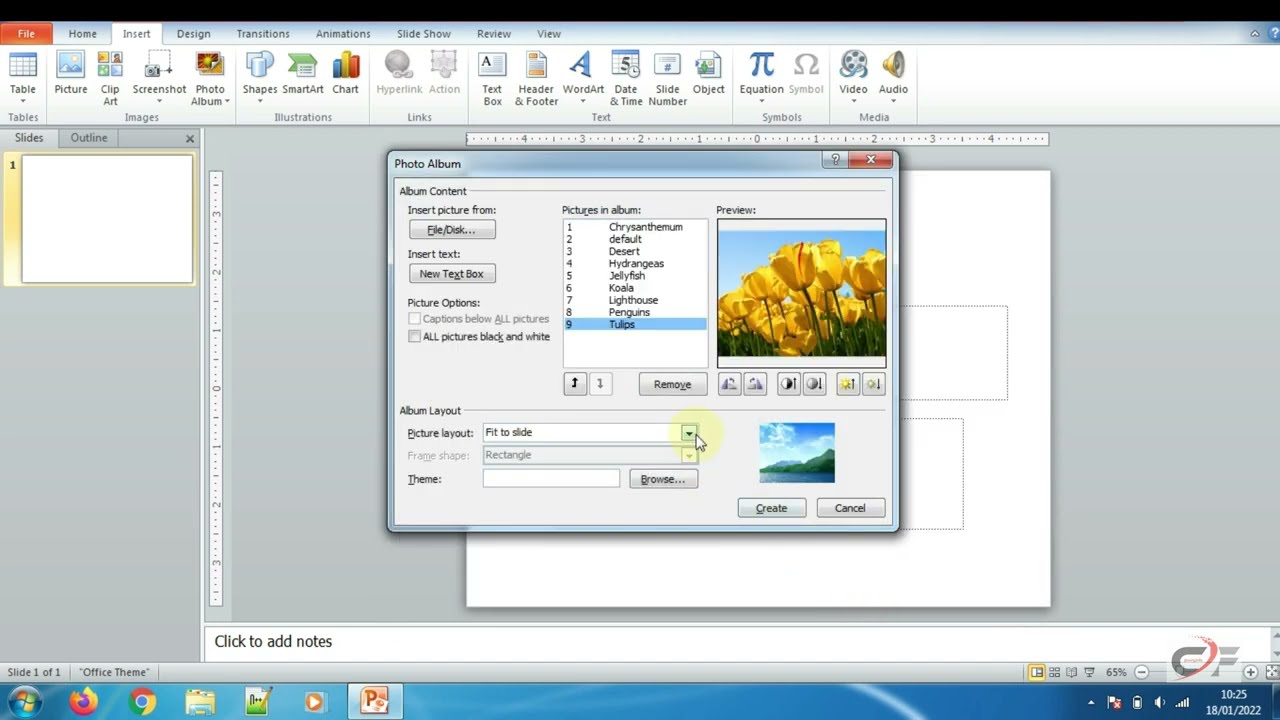
Create a stunning photo album in PowerPoint with this step-by-step tutorial designed for beginners and professionals alike. In this video, we show you how to easily add multiple images, arrange them in a clean layout, and customize your slides to create a professional-looking photo album. Whether it’s for personal memories, school projects, or professional presentations, this guide will help you showcase your photos beautifully.
We cover all essential techniques, including inserting pictures, applying layouts, adding captions, and customizing slide designs. You’ll learn how to make your photo album visually appealing and interactive without spending hours on complicated software. This tutorial also includes tips on resizing images, using transitions, and creating a cohesive theme to make your presentation more engaging.
By the end of this video, you’ll have a complete PowerPoint photo album ready to impress your audience. Whether you are creating a digital photo album, family slideshow, or a professional portfolio, these tips and tricks will save you time and enhance your presentation skills. Don’t forget to subscribe for more PowerPoint tutorials and design tips to take your presentations to the next level.
In this video, you’ll discover how to use Conditional Formatting in Excel to make your data more meaningful and visually appealing. We’ll walk through step-by-step examples on highlighting cells based on values etc. Perfect for beginners and intermediate Excel users, this tutorial will help you quickly identify trends, spot errors, and analyze data patterns with ease.
This website uses cookies to enhance your browsing experience. By continuing to use this site, you consent to the use of cookies. Please review our Privacy Policy for more information on how we handle your data. Cookie Policy
These cookies are essential for the website to function properly.
These cookies help us understand how visitors interact with the website.
These cookies are used to deliver personalized advertisements.